
A Practical Guide to Printer Types, Leading Brands, and Smarter Buying
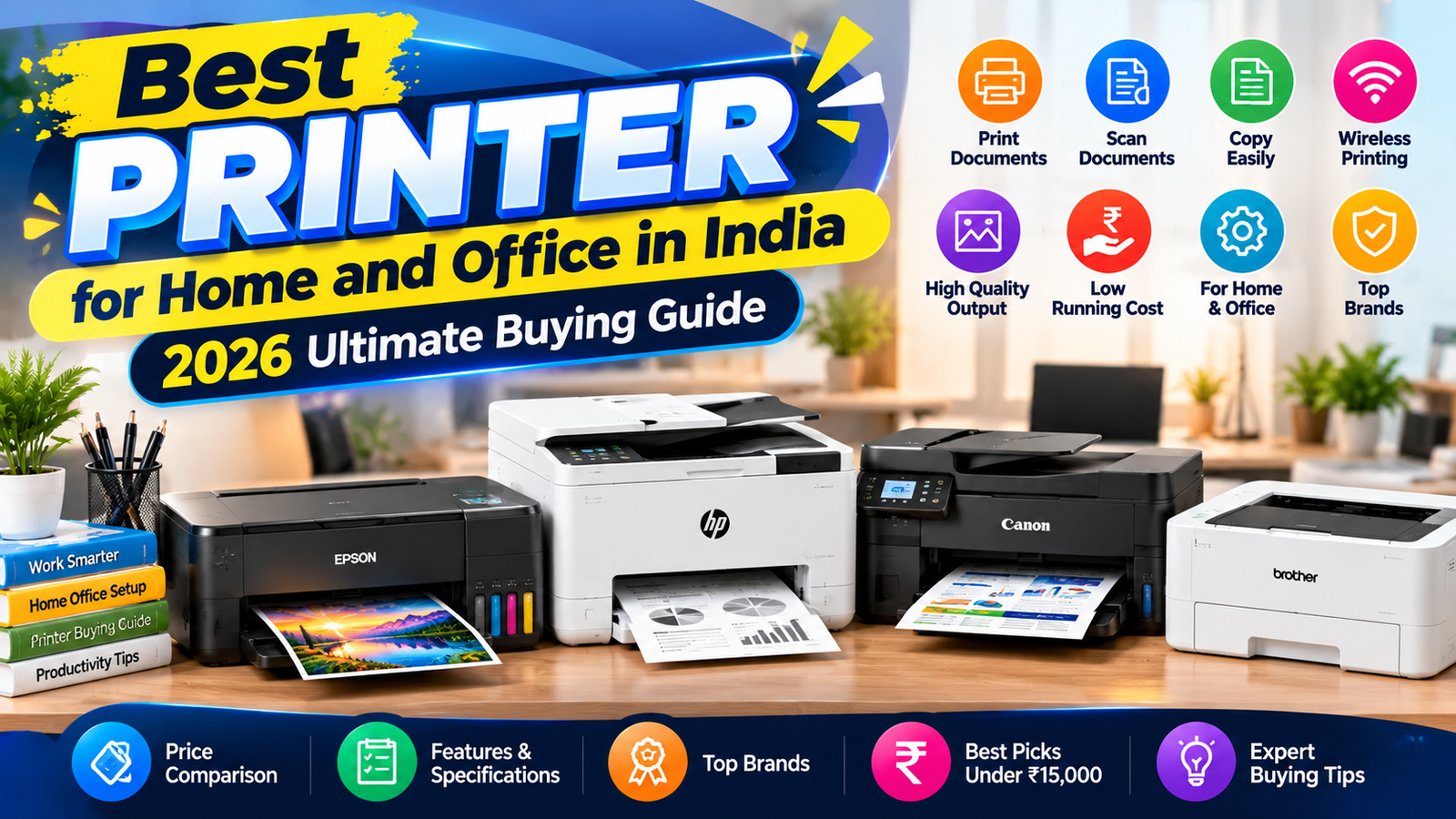
[Opening image: A compact inkjet printer on a home desk, a high-speed laser printer in an office, a student using a school printer, and a specialist photo printer displaying vivid prints.]
Printers remain useful in settings ranging from home offices and classrooms to busy workplaces and creative studios. Yet the word “printer” covers a broad family of devices. Some are designed for inexpensive everyday documents, while others prioritize speed, high-volume output, accurate color, or unusual materials. Understanding these categories is a practical first step toward choosing equipment that fits the work it will actually do.
The right printer can save time, control ongoing costs, and produce results suited to a particular task. A household may need a compact, affordable model for occasional forms and school assignments. A small business might depend on fast, dependable document printing, while a school may value durability and straightforward operation across many users. Photographers, designers, and other specialists can have different requirements, including detailed color reproduction or support for larger formats.
That is why searching for the “best printer” rarely leads to one universal answer. The best choice depends on print volume, desired output quality, budget, and intended use. A low purchase price may be attractive, but ink or toner expenses, maintenance needs, connectivity, and replacement supplies can influence the total cost over time. Likewise, an advanced feature is only worthwhile if it supports a regular task.
This guide provides a practical overview of common printer types and the features that distinguish them. It also considers leading brands and the purchasing questions that help narrow a crowded market. Whether you are replacing an aging device, setting up a home workspace, equipping an office, or buying for a specialist application, knowing what matters before comparing models makes the process clearer. The following sections explain how to match printer technology and capabilities with real-world needs, so you can make an informed decision rather than choosing by price or promotional claims alone.
Inkjet printers produce text and images by propelling tiny droplets of liquid ink onto paper. In most models, a printhead moves across the page while nozzles place cyan, magenta, yellow, and black ink in controlled patterns. Combining these colors creates a broad range of shades, making inkjets particularly capable of reproducing photographs, illustrations, charts, and documents with color accents. Many printers offer borderless photo modes and settings for different paper types, helping users achieve polished results without specialized equipment. Their compact designs also suit desks, shelves, and shared home workspaces.
A relatively accessible purchase price makes an inkjet printer an appealing choice for households, students, and people who print occasionally. It can handle everyday assignments, recipes, forms, and mixed-color documents, as well as photos for personal projects. However, the printer’s purchase price does not tell the whole cost story. Replacement cartridges may be expensive, and frequent printing can use ink quickly. Some models also consume ink during maintenance cycles, even when they are used infrequently. Print speed varies, but many inkjets take longer than laser printers to produce large batches of plain text, and photo printing can require additional time.
Before buying, compare the expected volume and type of printing with ongoing supply costs. Check cartridge prices and page-yield estimates, and consider refillable ink-tank models if you print regularly; their higher initial cost may be balanced by lower costs per page. Wireless printing can simplify use from phones and laptops, while an integrated scanner and copier may replace separate devices. Also review paper handling, photo quality, print speed, and the availability of suitable supplies. A useful accompanying image would show an inkjet printer producing a vivid color photograph, illustrating its strength in creative and photo-printing tasks.
Laser printers are designed for efficient, high-volume document production, making them a practical choice for busy offices and households that print regularly. They are particularly well suited to black-and-white text, such as reports, invoices, forms, and study materials. Their printing process produces crisp, sharply defined letters that remain easy to read, even on pages containing fine details. Many laser printers also complete jobs quickly, helping reduce queues when several people share a device or need documents in a short time.
Instead of ink cartridges, laser models use toner, a fine powder held in replaceable cartridges. Toner cartridges often produce many pages before replacement, which can make the printer convenient for frequent use and limit interruptions. Compare the stated cartridge yield with the printer’s expected workload, while remembering that actual results vary with page coverage and settings. A higher purchase price may offer better long-term value if regular printing spreads the initial cost across many pages. Check the cost per page, including replacement toner and any imaging components that require periodic replacement, rather than judging affordability by the printer price alone.
For a workplace, compare practical features alongside speed and print quality. Automatic duplex printing can reduce paper use by printing on both sides, while adequate paper capacity means fewer reloads during larger jobs. Network connectivity, including wired or wireless options, lets multiple users print from computers and other compatible devices. Consider the recommended duty cycle, which indicates the workload the printer is designed to handle, and choose a unit suited to expected monthly volume. Color laser printers are also available for businesses that need consistent color documents, presentations, or charts. When comparing them with monochrome models, weigh color capability against toner costs, print volume, and the importance of dependable color output. These criteria help match the printer to everyday demands without relying on headline specifications alone.
Multifunction printers combine several document-handling tasks in one device. Most can print, scan, and copy; some models also include faxing, which remains useful in organizations that exchange documents through fax services. Depending on the model, users may scan to a computer, email, cloud storage, or a network folder. These features can reduce the need to buy, place, and maintain separate machines, but the benefits depend on how often each function is used.
Compact home models are generally designed for occasional printing and modest workloads. Their smaller footprint and lower purchase price can suit households with limited space, while a flatbed scanner can handle books, photos, or individual pages. However, many entry-level models have limited paper capacity and require users to feed multi-page documents by hand. If regular scanning or copying is part of the routine, this can quickly become inconvenient.
Office-oriented multifunction printers typically add features intended to improve throughput. An automatic document feeder (ADF) can process a stack of pages without requiring each sheet to be placed on the scanner glass. Larger paper trays reduce interruptions for refills, and shared-network access lets several people print or scan from their computers and mobile devices. Some devices also support duplex printing or two-sided scanning, helping teams handle larger jobs with fewer manual steps.
Before buying, consider the actual workload rather than the number of features listed. Estimate monthly page volume, the frequency of multi-page scans, the number of users, and the available space. Compare the purchase price and ink or toner costs with the expense of maintaining separate equipment. A feature saves money only if it replaces a service or device you would otherwise use; an ADF is most valuable when documents are regularly processed in batches. Check connectivity, operating-system support, paper sizes, and replacement-supply prices as well.
An accompanying illustration could show a multifunction printer with its scanner bed open, touchscreen visible, and document feeder clearly identified. This view helps readers understand how the main components work together in a single machine.
Specialist printers are designed around particular media and output requirements rather than general-purpose home or office work. Choosing one can improve results and workflow, but the right category depends on what you print, how often you print it, and whether supplies remain easy to obtain. Before buying, check supported paper sizes, media types, connectivity, and the full cost of replacement ink, toner, ribbons, or rolls.
Photo printers prioritize detailed, color-rich images and smooth tonal transitions. Compact models may produce small snapshots, while larger photo printers can handle various print sizes for framing or portfolios. They commonly use dedicated photo paper and carefully matched inks, so ordinary copier paper may not deliver the intended quality. Compare the price and availability of both paper and cartridges, and consider whether the printer supports borderless printing.
Label printers are useful for shipping parcels, inventory, filing, and household organization. Depending on the model, they print on adhesive labels using thermal technology or ink and toner. Confirm label dimensions, roll or sheet format, and compatibility with the shipping or inventory software you use. Wide-format printers produce posters, banners, maps, architectural plans, and engineering drawings on larger media than standard desktop machines. Check maximum roll width, color accuracy, line detail, and the space required for the device and its paper.
Portable printers support mobile work, such as producing receipts, forms, or documents at client sites and while traveling. Battery life, weight, wireless connections, print speed, and available paper sizes matter particularly in this category. Some models require proprietary paper or compact cartridges, making supply costs and local availability important considerations. A practical comparison should include the printer’s intended output as well as its purchase price.
For a visual comparison, show four sample outputs side by side: a vivid photo print, a parcel label, a large technical drawing or poster, and a compact document produced by a portable device. This makes the differences in size, finish, and purpose immediately clear. Match each sample to the media it requires, then verify that recurring supplies fit both your budget and expected printing volume.
Comparing printer brands is most useful when the decision starts with your workload rather than a reputation ranking. A manufacturer may offer reliable home models but fewer options for a busy office, while another may excel at low-cost photo printing or high-volume document production. Identify how many pages you print, which paper sizes and media you use, and whether color accuracy, speed, or low running costs matter most. Then compare specific models against those needs instead of assuming one brand suits every buyer.
Read specifications carefully, including print resolution, pages per minute, paper capacity, and the monthly duty cycle. Check whether Wi-Fi is built in, whether mobile printing works with your devices, and whether setup supports your preferred operating systems. Automatic duplexing can reduce paper use for frequent document printing, while secure printing options, password protection, and network controls may be essential in shared workplaces. Consider energy consumption and sleep settings too, particularly if the printer will remain connected throughout the day.
Ownership costs and support can distinguish otherwise similar products. Compare the price and availability of ink or toner, page yields, and whether compatible supplies are easy to find locally. Some printers have a low purchase price but costly consumables; others cost more initially while offering economical high-yield cartridges or refillable tanks. Review warranty length, what it covers, and how service is provided. Check access to replacement parts, repair centers, technical assistance, and current software or driver updates before buying.
Independent user feedback can reveal recurring issues that specifications do not show, such as difficult wireless setup, unreliable feeding, or expensive maintenance. Look for patterns across multiple sources, and distinguish long-term ownership reports from first impressions. To organize your shortlist, use our related guide to choosing office equipment and comparing product features; it can help you weigh printers alongside other workplace needs. A practical comparison of printer brands therefore considers the complete experience—performance, consumables, compatibility, security, support, and operating costs—rather than focusing on a logo or a single headline feature.
Start by identifying what you print and how often. A household that produces a few pages each week has different needs from a small business printing invoices daily. Estimate monthly page volume, including occasional busy periods, and check the printer’s recommended workload. A model designed for light use may become slow or costly when pushed beyond its intended role.
Consider the documents involved. Text-heavy reports and forms generally favor a dependable monochrome laser printer, while frequent color charts may call for a color inkjet or laser model. For photo printing, compare dedicated photo printers and capable inkjets by image quality, supported paper sizes, and the price of photo supplies. If most work is black and white, paying extra for color may offer little value.
Measure the available space, allowing room for paper trays, open lids, and ventilation. Then review connectivity: USB may suit a single computer, while Wi-Fi, Ethernet, mobile printing, and cloud features can make shared use easier. For a team, consider a network connection, secure printing, automatic duplexing, and a scanner or document feeder if routine tasks require them.
Compare total ownership costs rather than purchase prices alone. Check the cost and page yield of replacement ink or toner, the price of suitable paper, and whether maintenance items such as drums or printheads need periodic replacement. Divide supply costs by expected output to estimate cost per page, and use realistic monthly volumes. A low-cost printer can be expensive to run; a pricier model may repay its cost through efficient, high-yield supplies.
Home users may prioritize compact size and occasional color, while students often benefit from affordable text printing, duplexing, and reliable wireless access. Small businesses should weigh speed, duty cycle, scanning, and predictable supply costs. Larger teams may need higher capacity, centralized management, security controls, and service support. Match features to actual routines: the best printer is not necessarily the one with the longest feature list, but the one that handles the work consistently, affordably, and conveniently.
Choosing a printer supplier involves more than comparing models or selecting the lowest advertised price. Begin by checking whether product listings provide clear specifications, including print technology, speed, resolution, paper capacity, connectivity, and compatibility with your devices or business systems. Accurate details make it easier to compare equipment and avoid purchasing a printer that does not suit your workload.
Confirm that the supplier offers genuine ink, toner, and other recommended consumables, and make the ongoing cost of these supplies part of your decision. A low purchase price may be offset by expensive cartridges or limited availability. Ask whether commonly used supplies are regularly stocked and whether the supplier can support predictable replenishment as your printing needs change.
Review the full terms before ordering. Transparent pricing should make delivery charges, taxes, installation costs, and any other fees clear. Check estimated delivery times, return conditions, warranty coverage, and the process for reporting faults. Accessible after-sales support is also important: look for clear contact options and ask what assistance is available with setup, troubleshooting, repairs, or selecting replacement equipment.
A reliable supplier can act as a long-term partner, not simply a checkout point. Consider whether staff can explain the differences between printer types and recommend a suitable model based on print volume, colour requirements, budget, and operating costs. For business buyers, dependable stock availability and responsive help can reduce disruption when equipment or consumables are needed quickly. A useful next step is to consult the retailer’s buying and support guide for advice on matching printer features to specific requirements.
Regular discounts and festive offers may provide genuine savings, but assess the complete deal rather than relying on its promotion label. Compare the final price with other suppliers, check which accessories are included, and confirm that the warranty is unchanged. Factor in the cost and availability of consumables as well. A discounted printer is worthwhile only when its specifications, service terms, and likely running costs remain suitable. Taking these checks together helps identify a supplier that offers fair value and dependable support over the printer’s useful life.
Before choosing a printer, use this checklist to confirm that the model fits your everyday needs—not just its advertised features or introductory price.
First, identify the printer category that suits your work. Decide whether an inkjet, laser, or another type is appropriate for the documents, photos, or other materials you expect to print. Next, estimate your typical monthly print volume. Compare that figure with the manufacturer’s recommended workload so the printer can handle regular use without unnecessary strain.
Check the functions you actually need. Consider whether you require scanning, copying, faxing, automatic two-sided printing, or a document feeder. Confirm that connectivity options, such as Wi-Fi, Ethernet, USB, or mobile printing, will work with your devices and office setup. Avoid paying extra for features that do not support your routine.
Then compare the ongoing cost of supplies. Look beyond the printer’s purchase price and review cartridge or toner prices, expected page yields, and paper requirements. If you print frequently, a model with a higher upfront cost may prove more economical over time. Also verify the warranty period, what it covers, and how accessible technical support and replacement parts are.
Before ordering, read the supplier’s terms carefully. Check delivery costs and timing, return and exchange conditions, payment options, and any requirements for claiming a promotion. Compare suitable models across brands using the same needs and cost criteria. Consider current offers only after confirming that a printer meets your requirements; a discount does not make an unsuitable model a good choice.
Use this checklist to narrow your options, then explore our related printer guides for more help comparing technologies, brands, and running costs. [Internal link: related printer guides] A useful closing image would show a buyer comparing printer specifications, helping readers see the practical steps involved in making an informed purchase.
Recent Post

Registered Office & Support
© Copyright 2010-2026 Remedics Global Private Ltd. All rights reserved.
